.png)

Updated March 06, 2026
Launching a branded app doesn't require a Silicon Valley budget or a coding degree. You need a strategy to move your most engaged followers from social media, where you rent their attention, to a dedicated app where you own the relationship and the revenue. This 90-day playbook breaks down exactly how to get your first 1,000 downloads and turn them into recurring subscribers.
If you're a course creator, coach, or educator with an existing audience and a proven program, this guide is for you. You've felt the tool sprawl, the algorithm anxiety, and the "launch and crash" revenue cycle. The plan below gives you a structured path from scattered engagement to a branded mobile app with predictable MRR.
Why most creator app launches fail (and how to fix it)
Most creator app launches focus on downloads as the primary goal, but downloads measure the wrong thing. What matters is whether those downloads convert to paying, active subscribers who complete your content and stay month after month.
The audience you bring in makes the difference. A fitness creator with 200 warm subscribers paying $34.99/month generates meaningful recurring revenue. A creator with 10,000 cold installs from a paid campaign and a 1% conversion rate generates far less at far higher cost. Education app benchmarks show App Store page conversion rates of 18.1% on iOS and 34.4% on Google Play, meaning qualified traffic driven from your existing audience converts at meaningful rates without paid spend.
Focus on audience migration, not audience acquisition. Move the people who already trust you.
Key terms you need to know
- ASO (App Store Optimization): The process of improving your app's visibility in App Store and Google Play search results through titles, keywords, screenshots, and descriptions.
- User acquisition: Attracting and converting new users to download and use your app.
- Pre-launch marketing: The activities you run before your app goes live to build anticipation and a waitlist.
- CRO (Conversion Rate Optimization): Improving the percentage of visitors or downloaders who take a desired action, such as starting a trial or subscribing.
- Churn: The percentage of paying subscribers who cancel in a given month.
Phase 1: The runway (Days 1–30)
Goal: Tech setup and audience warming.
Define your offer and tech stack
Your monetization model is the first decision to make, and it affects every downstream step.
Step 1: Choose your monetization model.
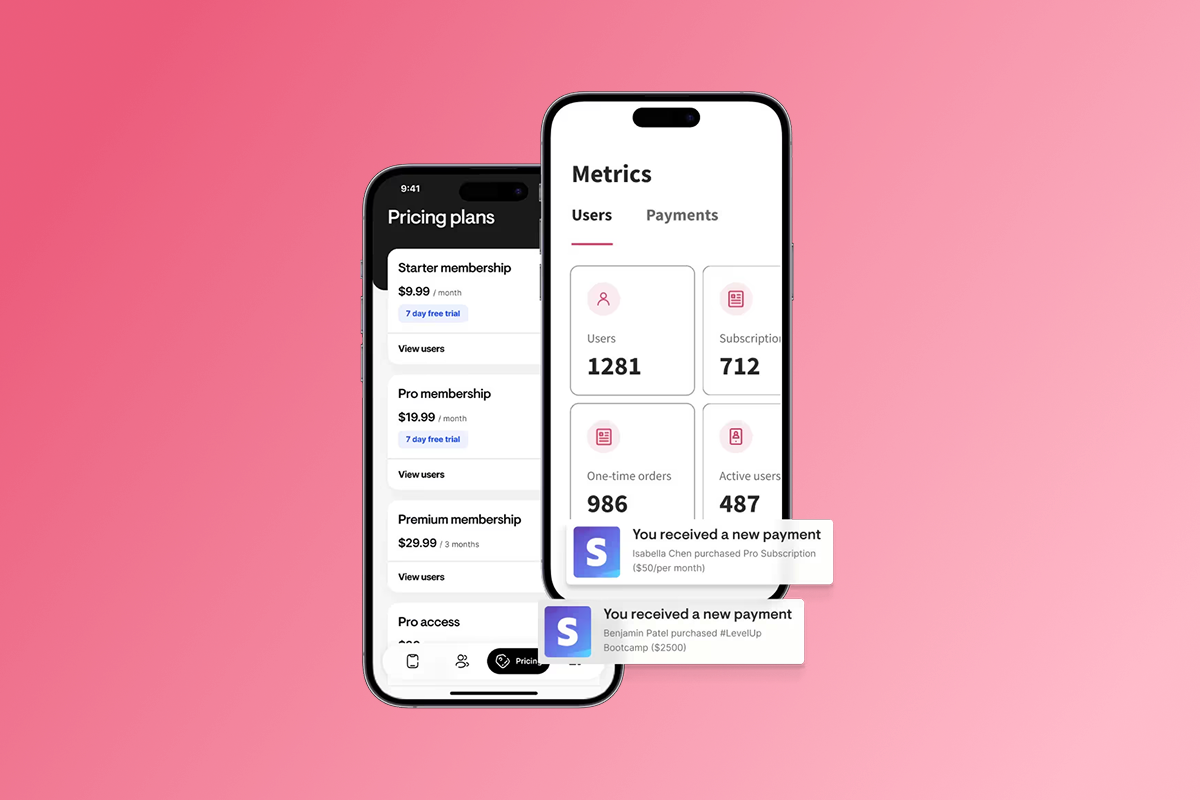
Decide whether you're selling subscriptions (monthly or annual recurring revenue), one-time purchases, or a combination. Subscriptions give you predictable MRR, though they require ongoing effort to retain subscribers and manage churn. One-time purchases work well for standalone courses and eliminate churn entirely, but create revenue spikes rather than steady growth.
Step 2: Choose your checkout path.
You have two routes, and the choice is essentially margin vs. convenience:
Note: All paths include Stripe processing fees (~2.9% + $0.30). Total effective fee for web checkout is approximately 6.8% + $0.30 per transaction.
Apple's Small Business Program reduces commissions to 15% for developers earning under $1 million in annual proceeds, as detailed on the Apple Small Business Program page. Google matches that rate on the first $1M of annual revenue. A full breakdown of PassionPayments fees versus IAP is available in the Passion.io payment processing guide.
For a $49/month subscription, routing through web checkout keeps your effective fee around 6.8% versus 15–30% via IAP. At volume, that margin difference is significant. Use IAP for lower-priced mobile upsells where convenience wins.
Step 3: Set up your no-code app.
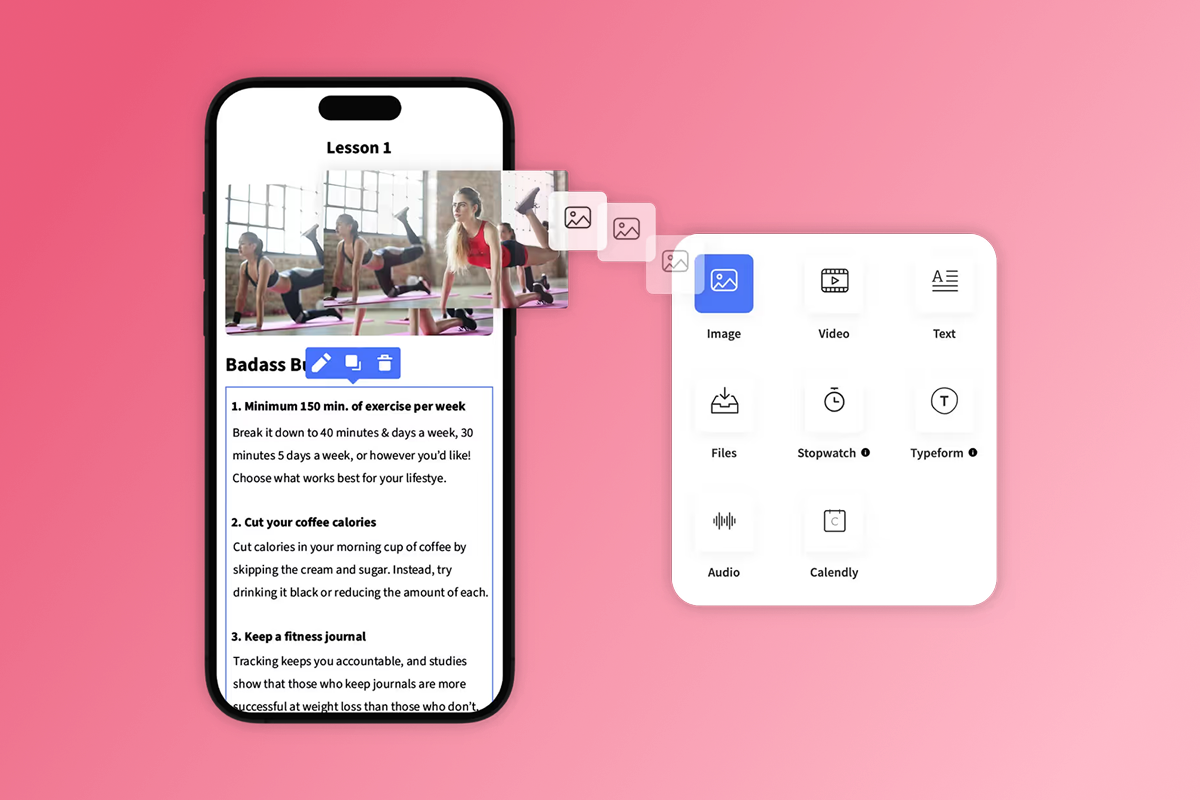
Upload your core content, set your branding colors and logo, and configure your subscription tiers inside Passion.io, following the Welcome to Your Passion App overview for your initial builder setup. Aim to have your web app live by Day 14. App Store submissions follow in Week 3, but your web app lets you start onboarding paying users immediately while store reviews process.
For a step-by-step walkthrough of structuring content, the add and manage lessons guide covers content organization. If you plan to release content progressively, drip content by date keeps members engaged week over week rather than binge-consuming and churning.
Build your waitlist on rented land
Your social channels, email list, and existing Facebook group provide the runway for launch. You don't need new followers. You need to warm the ones you already have.
Pre-launch content strategy (Days 7–28):
- Tease the transformation. Post 3–5 pieces of content on Instagram, TikTok, or email that showcase a specific result your program delivers, not a product demo.
- Create a Close Friends or VIP list. On Instagram, add your most engaged followers to a Close Friends story series labeled "early access." This creates genuine exclusivity.
- Build a simple landing page. Collect emails with a single promise: "Get first access and a founding member rate." A basic opt-in page or your Passion.io web app page both work for this.
- Announce your launch date. Give yourself a hard date in the Day 31–35 window. A public deadline drives urgency.
Pre-launch asset checklist:
- App icon (1024x1024px for iOS, 512x512px for Android)
- 3–5 App Store screenshots showing results (not menus)
- Short teaser video (60–90 seconds showing content and community)
- App description draft (keyword-optimized, benefit-led)
- Waitlist landing page live with email capture
- Founding member pricing set (10–20% below standard rate)
- Apple Developer account registered ($99/year), allow up to 5 business days for individual account approval, or longer if registering as a company, since business accounts with D-U-N-S verification can take 1–3 weeks.
- Google Play Console account registered ($25 one-time)
- App Store submission checklist reviewed
Our pre-submission app store checklist covers metadata requirements that commonly cause delays. Registering your developer accounts in Week 1 saves time later because account approvals can take several business days.
Phase 2: Lift-off (Days 31–60)
Goal: Acquisition of the first 1,000 downloads.
How to get your first 1,000 app downloads
The fastest path to 1,000 qualified downloads is your existing warm audience. Cold paid installs cost more and convert less. Your first priority is converting the people who already know you.
Education app retention data shows that educational apps retain approximately 2% of cold audiences at Day 30. Your warm subscribers, people who already follow your content and trust your coaching, retain at meaningfully higher rates. Industry trial conversion benchmarks show free trials convert at rates as high as 22% for EdTech platforms when the audience is already engaged with the product.
Creators like Savannah Bohlin demonstrate this model works: 250 active subscribers at $22.22/month generates over $66,000 in annual recurring revenue, as highlighted in the Passion.io features and case studies guide. For context, Passion.io creators who run structured launches, like 5-day challenges, can see 15-30% of challenge participants convert to paying subscribers, though broader waitlist conversion rates are typically closer to 2-5%. At common price points of $29-49/month, MRR from a single launch cohort can grow quickly, and top performers with engaged existing audiences have reportedly reached mid-five-figure MRR or higher.
Launch sequence for Days 31–37:
- Email your waitlist with your founding member offer and a direct app download link.
- Post a launch announcement across all social channels with a clear CTA to the App Store or web app.
- Go live on Instagram or YouTube to demonstrate the app experience in real time.
- Send a follow-up email on Day 34 to non-openers with a different subject line.
- Close founding member pricing on Day 37 to create urgency.
Our 120+ sign-ups guide covers email and social activation tactics for program launches in detail.
Paid vs. organic: where to spend your budget
For most solo creators targeting the first 1,000 downloads, organic outperforms paid because your acquisition cost is near zero and your conversion rate is much higher. Here's how to think about each channel:
One word of warning on buying installs from install farms or incentivized traffic networks: these inflate download numbers, tank your app store ratings from low-engagement users, and signal poor quality to the algorithm. App stores can penalize or remove apps with artificial install patterns. Build slowly with real users.
Our program launch tips guide covers pre-launch and launch execution tactics for creators across niches.
Optimizing your App Store presence (ASO)
ASO is the ongoing process of improving your app's search visibility in the App Store and Google Play, and it directly affects organic download volume. The core levers are your app title, subtitle, keywords, screenshots, and ratings.
Basic ASO checklist for creators:
- Title: Include your primary keyword (e.g., "yoga," "business coach," or "fitness training") and your brand name. Keep it under 30 characters.
- Subtitle (iOS) / Short description (Android): Describe the transformation, not the features. "Build strength in 20 minutes a day" outperforms "workout videos and tracking."
- Screenshots: Show results and community, not navigation menus. Add short text overlays that highlight benefits.
- Keywords field (iOS): Use all 100 characters. Research tools help identify low-competition, high-volume terms.
- Description: Lead with the outcome in the first two sentences. App store search often surfaces just the first line. Our app description writing guide is worth reviewing before submission.
Our help center has both an ASO boost guide and a list of 5 free ASO tools to identify keywords for your app.
On App Store review timing: In 2025, App Store reviews average 1–3 days and Google Play reviews average under 3 days for most apps. First-time submissions typically complete within 48–72 hours, though exceptional cases with unusual features can take longer. Rejections add 1–2 days for fixes and a fast-tracked resubmission review. Plan a 2-week total buffer for your first App Store submission to account for any back-and-forth. If Apple requests clarification on metadata or guidelines compliance, our Apple review response guide covers the most common fixes. On Expand and Plus plans, App Store submission support is included. On Launch and Scale, self-submission guides and documentation are provided.
"The customer support staff are very helpful and respond very fast, they helped me navigate the Apple/Google sites to get the app live which no hesitation." - Natalie Gidas on Trustpilot
Phase 3: Orbit (Days 61–90)
Goal: Retention and recurring revenue.
Turning downloads into recurring revenue
Downloads convert to subscribers when the in-app experience delivers more value than the alternative. You shift users from "downloaded" to "subscribed" through habit formation, and habit formation happens through community and daily reasons to open the app.
An in-app community is one of the highest-retention features you can add. When members discuss progress, share wins, and support each other inside your app, daily active use increases and churn decreases. Our guide on building a community in your app covers how to structure posts, challenges, and discussions within Passion.io.
The PassionFighters in-app community feature gives members a social space that lives inside your branded app rather than on Facebook or Discord, which means every interaction reinforces your brand rather than a platform you don't control.
"Everything is housed in one place, content, communication, client access, design, and it's all optimized to save time while delivering a high-quality user experience." - Everchanging Butterfly on Trustpilot
Offline access is another retention driver that generic web platforms can't match. Members who access lessons offline on a commute or in a gym with poor connectivity continue making progress rather than dropping off. Consistent progress reduces churn.
Retention tactics: push notifications and challenges
Push notifications are the highest-ROI retention tool available to you. They reach members directly on their lock screen, bypassing email open rates and social feed algorithms entirely. According to Passion.io's creator app advantage analysis, mobile apps see 2.5x more logins per week than web-only platforms. We see creators report completion lifts of 15–30% in 90 days when adding push notifications combined with weekly in-app challenges.
Push notification cadence for Days 61–90:
- Days 61–63 (Welcome back series): Send three messages over three days reminding trial users what they downloaded the app for.
- Days 64–90 (Weekly cadence): Send two push notifications per week tied to in-app challenge check-ins or new lesson drops.
- Day 75 (Mid-challenge milestone): Celebrate members who have completed 50% of the challenge content.
- Days 85–90 (Subscription renewal prompt): Remind trial users of what they'll lose access to if they don't convert.
Running a 30-day in-app challenge at launch:
A challenge is the most effective tool for locking in habits immediately after download. The mechanics are simple: a defined goal, daily or weekly tasks, a community thread for accountability, and push reminders.
For fitness creators, a "20 Workouts in 30 Days" challenge with daily movement prompts works well. Wellness coaches might run a "Morning Meditation Streak" with 10-minute guided sessions each day. Business coaches can structure a "First Client in 30 Days" implementation challenge with weekly milestones and community check-ins.
Regardless of your niche, the core structure stays the same:
- Set a clear challenge goal tied to your program outcome (e.g., "Complete 20 workouts in 30 days" or "Post your first piece of content using the framework in Module 3").
- Create a dedicated community thread for challenge check-ins.
- Send two push notifications per week tied to challenge milestones.
- Celebrate completions publicly inside the community to build social proof.
Creators who run challenges within 14 days of launch see higher Day 30 retention because members form an active usage habit before their first billing cycle. If churn runs above 5% monthly in Month 3, check whether your challenge and push cadence are both active, because that combination is the primary churn reduction lever at this stage.
"I would not have been able to make my idea for an app come to life without the platform passion provides." - FitWithBrit on Trustpilot
Measuring success: KPIs for creator apps
Stop tracking total installs. Track these numbers instead, because they determine whether your app is building a business:
Mobile app data shows iOS users spend roughly twice as much as Android users on average across all app categories, which is why iOS-first launch strategies often produce stronger early revenue per download, though actual figures will vary significantly by niche, with education apps typically seeing much lower per-user revenue than the broader market average. Plan your pricing and promotion accordingly.
For tracking user behavior inside the app, the audience tracking guide covers how to connect analytics to your Passion.io web app.
"I'm working my way through the Expert Unleashed challenge and can't wait to launch my app within the next 1-2 months!" - LAT CPA Firm on Trustpilot
"Passion.io have been so supportive in helping me develop my App, the training, customer support (especially Hope) have been second to none!" - Karen on Trustpilot
The Passion.io creator guide covers the full feature set and how to connect monetization, engagement, and analytics into a single workflow.
Your 90-day scorecard
Passion.io has helped launch over 15,000 apps serving 2M+ paying users, according to the Passion.io features complete guide. The platform compresses what would be a six-month custom development project costing $30,000 or more into a 4–8 week launch.
"Creating an App takes commitment, patience and time I've found. Tracy has been great and has often gone above and beyond." - Dr Liesl Roome Inc. on Trustpilot
If you want to explore the platform before committing, book a Passion.io demo. Also, Passion.io's 30-day money-back guarantee lets you test the builder, upload content, and configure your checkout path with no risk.
Frequently asked questions
FAQ: How do I get my first 1,000 app downloads for free?
Tap your existing email list and social following for your fastest, lowest-cost downloads. Send a launch email to your list on Day 31, run an organic social campaign for 7 days, and convert your waitlist with a founding member offer. Creators with a warm, engaged audience convert at far higher rates than cold paid traffic, and your acquisition cost is close to zero.
FAQ: What is the best way to market an app launch?
A pre-built waitlist paired with a time-bound 30-day challenge at launch is the most effective combination for creator apps. The waitlist builds urgency and warm demand before Day 1. The challenge gives new subscribers an immediate reason to open the app daily and creates social proof through community activity.
FAQ: How long does the App Store review take?
Plan a 2-week buffer for your first submission overall. Most apps review in 1–3 days in 2025, but first-time submissions typically take 48–72 hours and rejections add another day or two for fixes and priority resubmission. Expand and Plus plans on Passion.io include App Store submission support. If you receive an Apple review guidelines email, refer to the Apple review response guide in Phase 2 above.
FAQ: Should I use web checkout or in-app purchases?
Route your core subscriptions through web checkout (PassionPayments, 3.9% platform fee plus Stripe) when margin matters, and use IAP for mobile convenience upsells. Apple charges 15% for developers under $1M/year in the Small Business Program, and Google matches that rate on the first $1M annually. On a $49/month subscription at volume, the web checkout path saves roughly 8–11 percentage points per transaction compared to standard IAP rates.
FAQ: What app analytics should I track in the first 90 days?
Focus on MRR growth, monthly churn rate, DAU/MAU ratio, and lesson completion rate. Ignore raw install counts unless you're tracking their conversion to paid. Revenue per download, calculated by dividing your total revenue by total downloads in a period, tells you whether your acquisition is working or just generating unmonetized traffic.
Key terms glossary
ASO (App Store Optimization): The process of improving your app's discoverability in App Store and Google Play search through optimized titles, keywords, screenshots, and descriptions.
Churn rate: The percentage of paying subscribers who cancel in a given month. For creator apps, below 5% monthly churn by Month 3 is a healthy target for a small-business subscription product.
DAU/MAU ratio: Daily Active Users divided by Monthly Active Users. A ratio above 20% indicates strong daily habit formation in your subscriber base.
IAP (In-App Purchase): Purchases made within a native app, processed through Apple or Google payment systems. Apple charges 15–30% and Google charges 15–30% depending on revenue tier and program eligibility.
MRR (Monthly Recurring Revenue): Your predictable monthly income from active subscriptions. Calculate by multiplying active subscribers by average monthly subscription price.
Native app: An application installed directly on a device (iOS or Android) rather than accessed through a mobile web browser. Native apps access device features like push notifications, offline storage, and camera natively.
PassionPayments: Passion.io's web checkout gateway, powered by Stripe, charging a 3.9% platform fee plus standard Stripe processing fees per transaction.
Push notification: A direct message delivered to a user's lock screen from an installed app, bypassing email and social feeds. Push notifications are the primary re-engagement tool for reducing churn and improving completion rates.