.png)

Updated March 06, 2026
This checklist covers all 127 tasks across five phases: foundation, warm-up, technical prep, launch day, and post-launch retention. Each task includes an owner tag (Creator, VA, or Technical). If you want to move your business from rented land (Instagram, Facebook Groups, generic course tools) to an owned home (your branded app), work through these phases in order.
Phase 1: The foundation (8 weeks out)
Phase 1 builds your infrastructure. You're setting up accounts, migrating the right content, and locking in your pricing model before a single marketing dollar gets spent. Rushing this phase is why apps get rejected or launch with broken payment flows.
Technical setup and accounts
- Create your Apple Developer account at the Apple Developer Program portal ($99/yr). Do this first because D-U-N-S number verification for organizations can take 2–4 weeks or longer.
- Create your Google Play Developer account ($25 one-time) and enable 2-step verification before paying. Use the Google Play developer account setup guide to confirm each required step.
- Follow the Passion.io Apple Developer setup guide to link your account correctly from day one using the step-by-step Apple developer setup.
- Connect your Apple and Google developer accounts inside your Passion.io dashboard under Settings.
- Set up your Stripe account if you plan to use PassionPayments for web checkout. Stripe must be approved before you can process any transactions.
- Configure PassionPayments in your Passion.io dashboard. Web checkout charges a 3.9% platform fee plus Stripe, totaling approximately 6.8% plus $0.30 per transaction.
- Decide your IAP strategy. If you plan to offer mobile in-app purchases, Apple and Google retain 15-30% depending on your revenue tier and subscription age.
- Apply for the Apple Small Business Program if your annual earnings are $1 million or less to qualify for the 15% commission rate instead of 30%.
- Complete all legal and tax information in App Store Connect and Google Play Console. Missing tax forms block payouts.
- Upload your app icon (1024x1024px for iOS) and splash screen inside the Passion.io builder. Verify the preview renders correctly on both iOS and Android.
- Set your app name and bundle ID in the Passion.io builder. Your bundle ID cannot be changed after submission.
- Enable 2-factor authentication on all developer accounts, your Passion.io account, and your Stripe account.
Content migration and structure
- Audit your existing content. List every video, audio file, PDF, and worksheet across your current tools before migrating anything.
- Prioritize your "core 10" lessons. Start with the 10 lessons your students rely on most, not your full library. A focused app beats a bloated one at launch.
- Re-format videos for mobile. Shorter segments reduce drop-off rates on mobile devices.
- Upload your first module into Passion.io and test playback on both iOS and Android simulators before migrating more content.
- Set up drip content schedules if your program is sequential to prevent overwhelm and increase weekly active users.
- Configure offline access for your top 3-5 lessons. Offline content is a key differentiator from web-first platforms.
- Create your onboarding sequence inside the app - a short 2-3 step "Start Here" section that new members complete on Day 1.
- Upload all PDFs and worksheets as downloadable files within the relevant lessons.
- Set up quiz or progress-tracking checkpoints at the end of each module. Completion data is your primary retention metric.
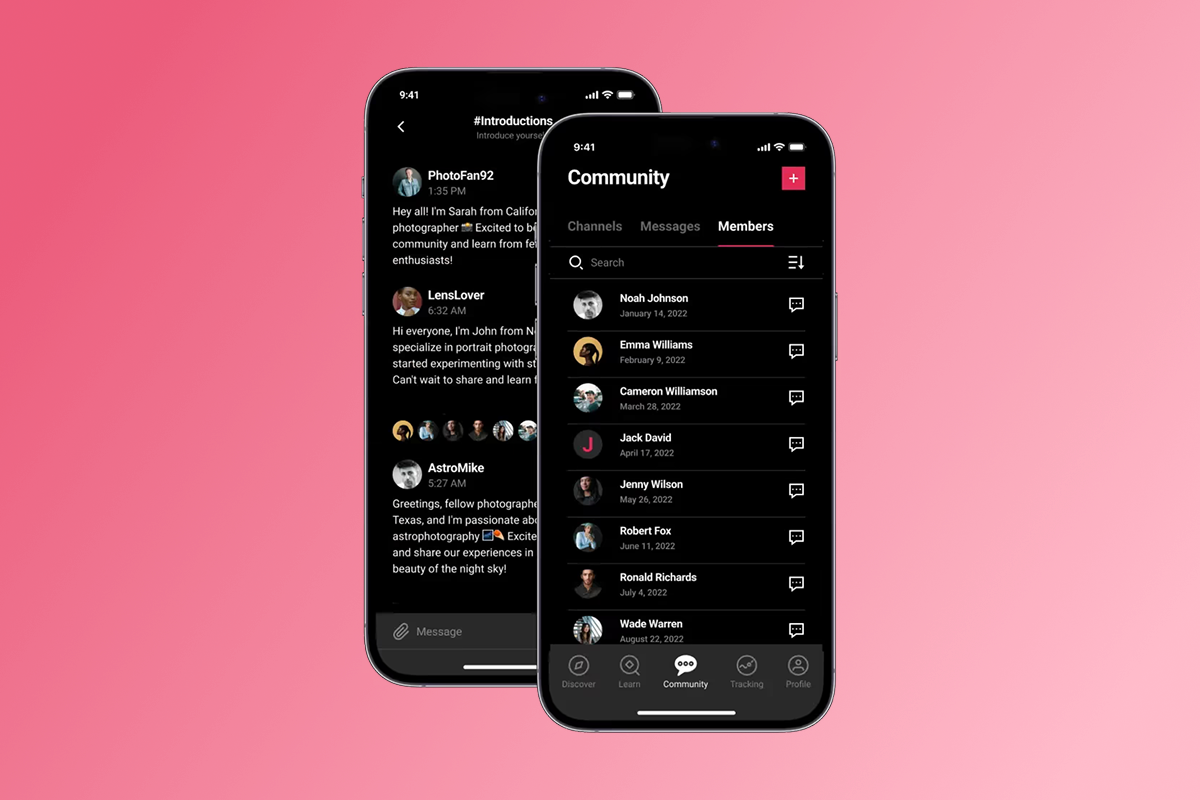
- Structure your community section with at least 2-3 pre-seeded discussion threads before launch so new members land in an active space.
- Test every content access tier. Log in as a test member at each pricing level to confirm they see exactly what they should see.
- Create a written "migration notice" for your current students explaining the transition, including the deadline and what they need to do.
Defining your offer and pricing model
- Choose your primary monetization path between web checkout (PassionPayments at 3.9% plus Stripe) and IAP (Apple/Google at 15-30%). For most creators, web checkout for core subscriptions and IAP only for convenience upsells preserves the most margin.
- Set your monthly subscription price. Research comparable programs in your niche to anchor your pricing.
- Set your annual subscription price at a 15-20% discount to monthly to incentivize longer commitments and reduce churn.
- Decide whether to offer a founding member rate at launch. A time-limited discount is a reliable conversion driver for your first 50 subscribers.
- Create a one-time purchase option for members who prefer not to subscribe, if your content supports it.
- Configure your free trial or free tier settings if applicable. A 7-day free trial reduces purchase friction for new audiences.
- Set up your bundle offer for multi-program creators. Route bundles through web checkout to avoid IAP fees on higher-ticket items.
- Write your pricing page copy inside the app. Be explicit about what each tier includes to reduce support queries.
- Review your pricing plan setup in your developer accounts to confirm it matches your Passion.io configuration.
- Confirm your refund policy and add it to your app's support documentation.
- Set a launch revenue target. A realistic goal for your first 30 days might be 50 paying subscribers at your chosen price point, giving you a concrete MRR milestone to plan toward.
Phase 2: The warm-up (4 weeks out)
Phase 2 builds your marketing runway. By the time you launch, your audience should already know what the app is, why they want it, and how to get it. The waitlist you build here directly determines your Day 1 download count.
Creating your marketing assets
- Design a branded launch graphic in your app's colors for use across email, Instagram, and stories.
- Record a 60-90 second "app tour" video showing the member experience inside the app. Authenticity converts better than production polish at this stage.
- Create a set of 5-7 Instagram stories that tease features like push notifications, challenges, and offline access.
- Write 3-5 email campaign templates for your waitlist sequence: announcement, benefit deep-dive, founding member offer, launch day, and last-chance reminder.
- Produce a short FAQ document covering "How do I download the app?", "What is included?", "How is this different from your current course?", and "What does it cost?"
- Prepare app store screenshots for all required device sizes using the Passion.io custom screenshot submission guide.
- Create an optional app preview video (15-30 seconds) for use in the App Store listing. This is not required but increases conversion on the store listing.
- Design an email header image sized 600px wide for your launch campaigns.
- Prepare 3 testimonials or early-user quotes from beta testers if available, formatted as social proof graphics.
- Create a "Download the app" link card using the Passion.io guide for getting your branded app link to generate the correct URL.
Building the waitlist
- Create a waitlist landing page with a single opt-in form, a clear benefit headline, and a launch date.
- Write a 5-email welcome sequence for waitlist subscribers, starting with a confirmation email and ending with the launch day link.
- Set up your email automation in your existing email platform to trigger the sequence on signup.
- Promote the waitlist across your existing community and social channels with a pinned post in your Facebook Group and an updated link in your Instagram bio.
- Send a waitlist announcement to your full email list. Your warmest audience converts best, and this email should go before any public promotion.
- Post 3 waitlist-focused stories per week leading up to launch, using countdown stickers to build anticipation, and ask your most engaged students to share with peers.
- Set a waitlist size target (for example, 500 sign-ups signals strong launch momentum). Monitor progress weekly.
App Store Optimization (ASO) basics
ASO (App Store Optimization) is the process of improving your app's visibility in store search results through keyword-optimized titles, descriptions, and metadata. Strong ASO drives organic downloads long after launch day.
- Research primary keywords using the free tools in the Passion.io ASO keyword research guide.
- Write your app title (maximum 30 characters on iOS). Include your primary keyword naturally.
- Write your iOS subtitle (maximum 30 characters). Target a secondary keyword here.
- Write your Google Play short description (maximum 80 characters) with a clear benefit statement.
- Write your full app description using the Passion.io app description writing guide. Front-load benefits in the first 250 characters, which display before "read more."
- Select your primary and secondary app categories (for example, Health and Fitness, Education, Lifestyle) to reach the broadest relevant search audience.
- Compile a keyword bank of 20-30 relevant search terms, then prioritize the 10-15 with the highest relevance and lowest competition.
- Draft your promotional text (iOS, max 170 characters) for seasonal campaign updates. You can update this without a full App Store review.
- Close the waitlist 48 hours before launch and send a "You're in, here's what to expect" email to all subscribers.
- Review your full ASO checklist against the Passion.io ASO optimization guide before submission.
Phase 3: The technical prep (1 week out)
Phase 3 runs through your pre-flight checklist. One missed item - a missing privacy policy URL or broken demo account credentials - can delay App Store review by 7-10 days. Build in a buffer.
Final testing and QA
- Review the full "before you submit" checklist in the Passion.io pre-submission guide.
- Test the full sign-up and login flow on both iOS and Android devices.
- Complete a test purchase through PassionPayments (web) to confirm checkout works end-to-end.
- Complete a test IAP purchase if you have IAP enabled on mobile.
- Test content access for each pricing tier. Confirm that free, paid, and founding-member tiers each display correctly.
- Test push notification delivery on both iOS and Android test devices and confirm the notification text displays correctly.
- Test all external links within the app, including your support URL and privacy policy.
- Test offline content access by enabling airplane mode and attempting to play a downloaded lesson.
- Check app performance on older devices (for example, iPhone XR or equivalent Android) to confirm no crashes or slow load times.
- Test the in-app community by posting, replying, and liking as a test member account.
- Verify drip content schedules by confirming content unlocks at the intended intervals.
- Run a final grammar and spelling check on all in-app copy, including notification text and community prompts.
Submission to Apple and Google
Apple App Store review takes 24-72 hours for most apps, with updates often reviewed faster than new submissions. New Google Play apps typically take 1-3 days to review. The full process from submission to live listing - including any rejection-and-resubmit cycles - is why most creators plan for 4-8 weeks from build start to published app. Build a 7-10 day buffer into your launch timeline.
- Prepare demo account credentials for App Store reviewers if your app requires a login to access content.
- Complete all metadata fields across App Store Connect and Google Play Console: app name, subtitle, description, keywords, support URL, privacy policy URL, promotional text, and screenshots for every required device size. Missing sizes block submission.
- Review the iOS submission preparation guide before uploading your final build.
- Submit your iOS build for review in App Store Connect and submit the equivalent build in Google Play Console.
- If you receive an Apple Review Guidelines email, use the Passion.io guide on Apple review guidelines feedback and plan a 1-3 day resubmission window.
- If your Google app is rejected, follow the Passion.io steps for resolving Google rejections and resubmit within 24-48 hours.
"I'm really enjoying using this app now that it's fully up and running on the app stores. Thank you for the great support that I always receive from your submission and support teams. I recommend Passion.io a lot!" - Patricia Pfost on Trustpilot
Phase 4: Launch day execution
Launch day is not the climax. It's the ignition. Your goal is to funnel as many people as possible from your waitlist, email list, and social channels into the app within the first 12 hours to generate social proof and App Store ranking signals.
The "Go Live" communication sequence
- 6:00 AM: Post a "launching in X hours" story across Instagram and Facebook to prime your audience.
- 9:00 AM: Send the launch email to your full list with direct download links for iOS and Android, your app icon, and your founding member offer if applicable.
- 9:05 AM: Post the "We're live" announcement simultaneously across all social channels. Include your branded app link and app store badges.
- 9:10 AM: Send the "You're in" email to your waitlist subscribers with a personal note acknowledging them as early supporters.
- 9:30 AM: Announce inside your existing community with a direct download link and instructions for existing members to migrate.
- 12:00 PM: Send the first push notification to all new app members. Keep it short and action-oriented, for example: "Welcome! Start here: your first lesson is ready."
- 1:00 PM: Go live on Instagram or YouTube for a 20-30 minute app walkthrough, demonstrating the member experience in real time and answering questions.
- 3:00 PM: Share an "X members have joined in X hours" social update to build momentum.
- 6:00 PM: Send a resend email with a new subject line to all non-openers from the morning send.
- 9:00 PM: Post a final "last chance for founding member pricing" story if you have a time-limited offer.
Troubleshooting and support monitoring
- Set up a dedicated launch-day inbox folder to catch download issues, login errors, and payment failures.
- Pin a FAQ post inside your community covering the most common download and login questions before launch to reduce support volume.
- Monitor App Store and Google Play reviews from hour one. Respond to every review within 24 hours, positive or critical.
- Check your Passion.io analytics dashboard at 9 AM, 12 PM, and 5 PM for new user registrations and content starts.
- Monitor PassionPayments for any failed charges and reach out personally to affected members within 2 hours.
- Have your app download links readily accessible in a pinned document so you can paste them quickly into DMs and comments.
- Test the full sign-up flow one more time at 8:55 AM, five minutes before your launch email goes out, to confirm everything still works.
- Document all support issues in a shared document or spreadsheet to inform your product roadmap and FAQ updates.
Phase 5: Retention and growth (post-launch)
Downloads are a vanity metric because what matters is whether members return, complete your content, and stay subscribed. Push notifications combined with structured in-app challenges are your primary retention drivers. Push click-through rates run 7x higher than email, making them your most effective re-engagement tool.
The first 30-day challenge
- Design a 30-day in-app challenge tied to your core program outcome, for example a "30-Day Foundation Challenge" or "30 Days to [Your Niche Result]."
- Break the challenge into daily micro-tasks of 5-15 minutes each. Achievable daily wins build habit loops.
- Set up the challenge inside your Passion.io community section with a dedicated thread for each week.
- Create a "Day 1 Start Here" push notification to fire automatically for all members who join the challenge.
- Seed the community with 3-5 example progress posts before members arrive so they understand the expected format.
- Post a daily community prompt every morning for the first 30 days. Examples: "What is your win from yesterday's lesson?" or "Share one thing you'll apply this week."
- Feature a member win publicly every 3-4 days in a highlighted community post. Social recognition drives continued engagement.
- Send a "Check-in" push notification on Day 7, Day 14, and Day 21 to members who have not logged in within 3 days.
- Create a completion badge or reward for members who finish the 30-day challenge. Completion rates climb when there is a tangible goal.
- Send an in-app survey on Day 7 asking new members about their experience. Three questions maximum.
- Request App Store reviews from satisfied members on Day 14 using an in-app prompt. More reviews improve your store ranking and conversion.
- Analyze your completion data at Day 30. Target a 15-30% completion rate improvement over your previous platform within 90 days. If churn exceeds 6% monthly, review your onboarding friction and push cadence.
Establishing your push notification cadence
Push notifications achieve a 7.8% reaction rate overall, with contextual, personalized notifications reaching 14.4% compared to 4.19% for generic blasts. That gap is the difference between annoying your members and bringing them back.
- Map out your Week 1 push calendar (daily, onboarding-focused): Day 1 welcome, Day 2 feature highlight, Day 3 quick-win content, Day 4 community introduction, Day 5 progress check-in.
- Write all Week 1 push notifications in advance so they can be scheduled without daily manual effort.
- Reduce to 3x per week in Week 2: Monday (new content alert), Wednesday (community prompt), Friday (weekend content preview).
- Reduce to 2x per week in Weeks 3 and 4: Tuesday (challenge or lesson reminder), Thursday (community or new content notification).
- Personalize push copy by segment if possible. Members who have not logged in for 5+ days should receive a re-engagement message, while active users should receive value-add content alerts.
- Keep push notification text concise for full lock screen display, under ~110 characters for iOS, under ~50 characters for Android.
- A/B test your subject lines by alternating between benefit-focused and curiosity-focused copy and tracking open rates.
- Schedule a monthly "big announcement" push for new content drops, challenge launches, or pricing changes.
- Review your DAU/MAU ratio (daily active users divided by monthly active users) at the end of Week 4. A ratio above 0.15 indicates healthy engagement.
- Adjust your cadence based on data. If click rates fall below 5% for two consecutive weeks, change your copy angle or timing before reducing frequency.
- Set up a re-engagement sequence for members who have not opened the app in 14 days: one push at Day 14, a follow-up email at Day 17, and a personal DM at Day 21.
- Review your community section weekly and respond to every thread that has gone unanswered for more than 48 hours.
- Track your weekly active user count for the first 30 days and compare it against your Day 1 baseline.
- Review new App Store reviews weekly and use recurring complaints to prioritize content and feature updates.
- Conduct a 30-day subscriber retention audit by comparing your subscriber count from Day 1 to Day 30 and calculating your monthly churn rate.
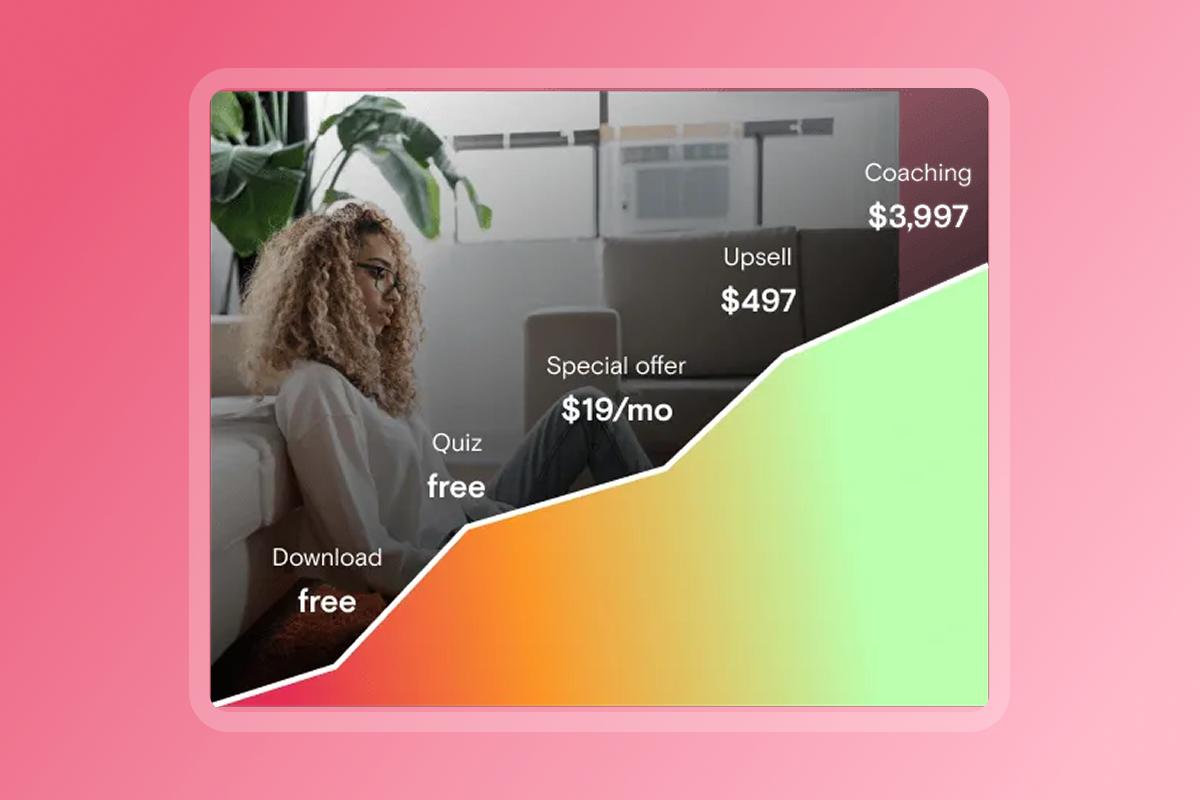
- Add a second subscription tier or bundle in Month 2 if your first tier is converting well. Route the new tier through web checkout to preserve margin.
- Book a 60-day review in your calendar to audit completion rates, churn, MRR, and push performance and adjust your strategy accordingly.
How to choose your promotion channels
Not all channels perform equally for creator apps. The table below compares the six primary promotion channels on cost, effort, ownership, and expected conversion.
Email converts best for warm audiences and carries zero platform dependency. Treat it as your primary channel. Social channels are billboards that point back to your owned home (the app) - they are not the home itself.
If you run paid acquisition, iOS CPIs reach nearly 3x those of the Google Play Store in some categories. Start with a small test budget of $200-300 to establish your actual CPI before scaling.
For reaching 1,000 users organically, a conservative model based on industry benchmarks looks like this:
- Email list of 10,000 at 3-5% conversion: 300-500 downloads
- Instagram following of 25,000 at 1-2%: 250-500 downloads
- Facebook Group of 3,000 at 10%: 300 downloads
These benchmarks come from general industry conversion data, not guaranteed outcomes. An engaged audience with a clear offer and a structured waitlist campaign can exceed them.
Understanding launch costs and ROI for creators
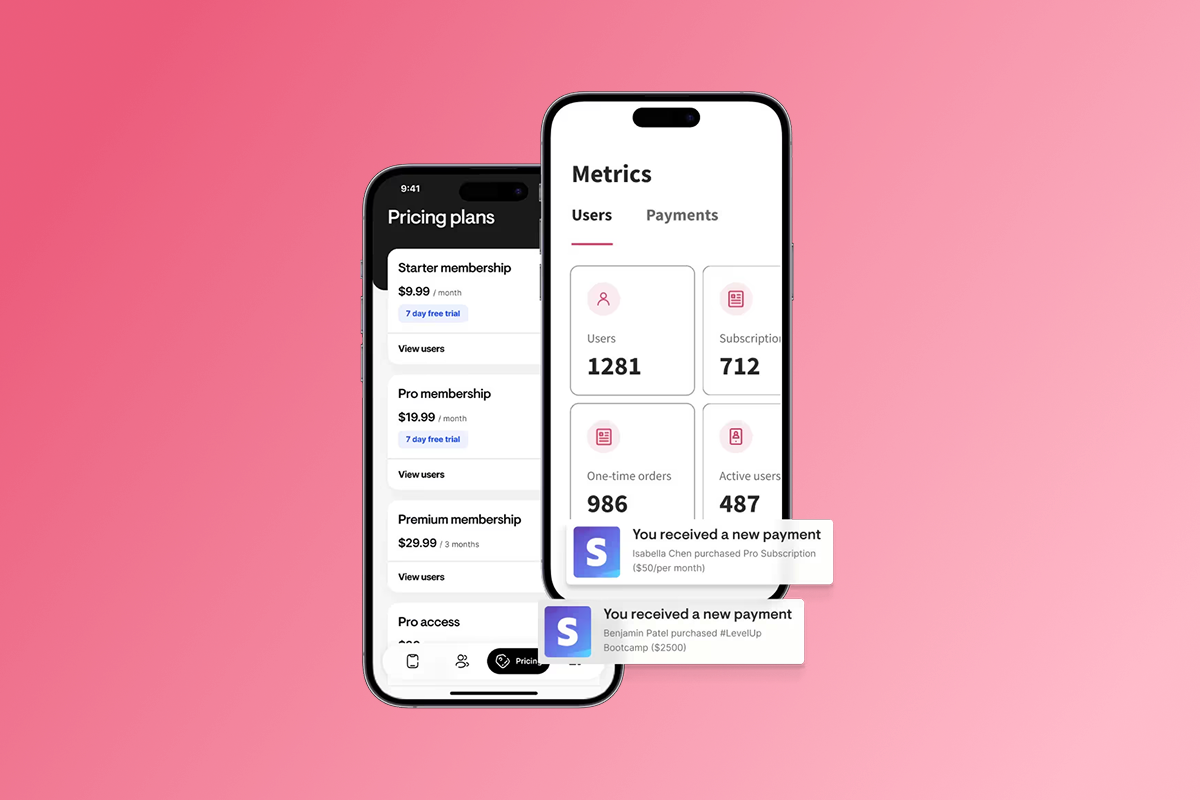
With Passion.io, your full cost structure for launching a branded app looks like this:
For context, custom app development in 2026 ranges from $40,000 to $400,000+, with ongoing maintenance adding 15-20% of that annually. A no-code platform covers infrastructure, hosting, and updates within the subscription cost.
The fee path you choose has a direct impact on margin. For a creator selling a $49/month subscription through web checkout, the platform fee is $1.91 per sale. Through Apple IAP at 15%, that same sale costs $7.35. Across 200 subscribers, routing through web checkout saves over $1,000 per month. Use the Passion.io pricing guide to compare plan tiers before committing, and note that App Store submission support is available on Expand and Plus plans only.
The 127 tasks above are built to be worked in order, not all at once. Start with your Apple and Google developer accounts this week because that single action saves 7-10 days later in the process.
If you want to see how the build steps work inside the platform, watch the Passion.io platform overview and review the 8 tips for program launch in the Passion.io knowledge base. Or try itt for yourself by booking a Passion.io demo.
When you're ready to build, try with a 30-Day money-back guarantee so you can complete Phase 1 and Phase 2 before committing.
Frequently asked questions about app launches
FAQ: How long does the App Store review process take?
Apple App Store review takes 24-72 hours for most apps, while new Google Play apps typically take 1-3 days. Build a 7-10 day buffer into your launch timeline to account for potential rejection and resubmission cycles.
FAQ: What are the most common reasons for App Store rejection?
The most common causes are app crashes, incomplete metadata, missing privacy disclosures, broken links, and unclear subscription pricing. Most issues are fixable within 24-48 hours using the Passion.io guides on resolving Google rejections and understanding Apple's review process.
FAQ: How do I promote my app for free?
Focus on three owned and rented channels: your email list (3-10% conversion for warm lists), your social following (0.5-3%), and your existing community. Build a waitlist 4 weeks before launch, run a live walkthrough on launch day, and use push notifications from Day 1.
FAQ: Can I change my pricing after launch?
Yes, and the Passion.io guide on updating pricing plans covers the required steps. Note that IAP price increases require Apple and Google approval processes.
FAQ: When do I need to resubmit my app to Apple or Google?
Not every update requires a full resubmission. Review the Passion.io guide on when resubmission is required to avoid triggering unnecessary review cycles.
FAQ: What is a realistic timeline for reaching 1,000 users?
With a structured 8-week pre-launch campaign and a warm email list of 5,000+, creators with an engaged following can work toward 1,000 users within 60-90 days using consistent post-launch push notifications and community challenges. Skipping the pre-launch phase significantly reduces Day 1 download counts.
Key terminology for app creators
ASO (App Store Optimization): The process of improving your app's visibility in the App Store and Google Play through keyword-optimized titles, descriptions, and metadata. Strong ASO generates organic downloads on an ongoing basis after launch.
IAP (In-App Purchase): Any digital content or subscription purchased directly inside a mobile app, processed by Apple or Google. Apple and Google retain 15-30% of IAP revenue depending on your revenue tier.
PassionPayments: Passion.io's integrated web checkout system charging a 3.9% platform fee plus standard Stripe processing fees. It routes payments outside the App Store to preserve creator margins.
CPI (Cost Per Install): The amount you pay in advertising for each user who installs your app. The average CPI in North America runs $5.28 per install though it varies by platform and category.
MRR (Monthly Recurring Revenue): Predictable monthly income from active subscriptions. MRR growth distinguishes stable recurring income from unpredictable launch spikes.
Churn: The percentage of subscribers who cancel in a given month. A monthly churn rate above 6% signals engagement or onboarding problems worth addressing before scaling.
Push Notification: A short message sent directly to a user's mobile device that appears on the lock screen. Push notifications achieve a reaction rate of 7.8% versus 4.19% for generic email blasts.
DAU/MAU: Daily Active Users divided by Monthly Active Users. A ratio above 0.15 indicates healthy engagement and is a leading indicator of low churn